Know who's on the clock, what each truck costs, and prove it.
Milepost is the timekeeping and accountability platform for crews that work outside: public-works departments and private field crews alike. Clock-ins from the phones your crew carries, geofenced to the job. Every truck's true cost per hour. A tamper-evident record an auditor can check.
A free iPhone and Android app (in pilot). No paper timesheets. Runs on the phones your crew already carries.
Milepost in one minute
A town crew’s pay period, start to finish: clocking in, the wall station, the review queue, time off, what each truck costs, and closing out with every hour coded to its fund.
Read the transcript
- [A paper timesheet, out of focus.] Your crews don’t work at a desk. So why is their time clock still on paper?
- [The Milepost logo.] Meet Milepost.
- [A phone clocks in at 7:02 AM. The punch carries the time, the place and the phone.] Crews clock in from the phone they already carry. Time, place, and device on each punch, or a flag if one’s missing. Location only while they’re on the clock.
- [A wall-station tablet takes a PIN, then a photo. In the office, a person compares it with the photo on file.] No phone? The wall station takes a PIN and a photo with every punch, for the office to check against the one on file.
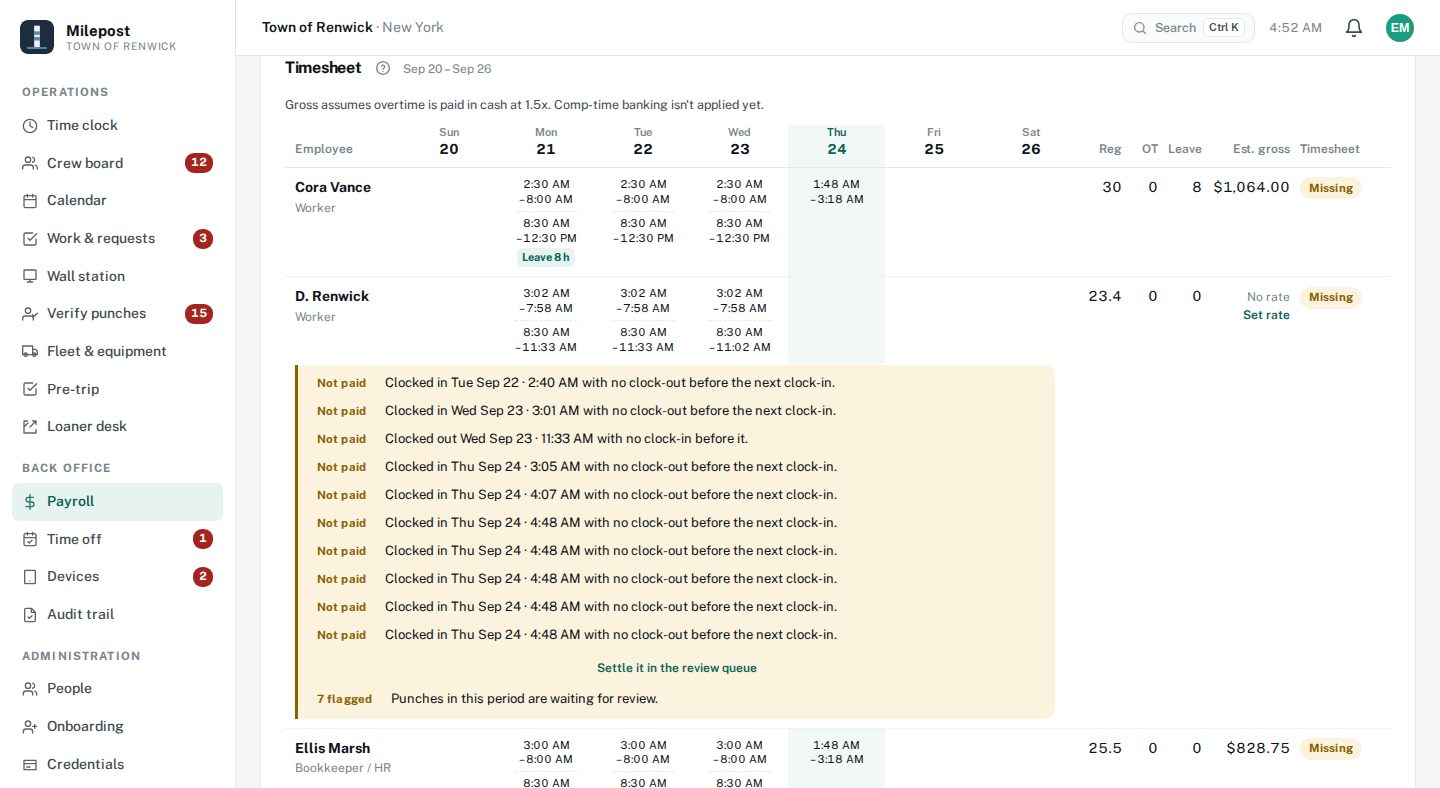
- [The review queue lists flagged punches. A correction keeps the original time, struck through, beside the new one.] Anything unusual comes straight to you. Corrections never erase the original.
- [A time-off request is approved, and the leave balance updates.] Time off, requested and approved in one place.
- [The fleet register shows each truck’s cost per hour. The loaner desk shows who has the brush chipper.] Every truck and tool: what it costs an hour, and who has it right now.
- [Timesheets signed, the pay period closed, hours by fund, and the period’s CHIPS-eligible hours.] When the pay period ends, sign the timesheets, close it out, and every hour is already coded to its fund, with CHIPS hours counted.
- [The crew board, a phone and the wall station together.] Know who’s on the clock, what each truck costs, and prove it.
- [End card: Milepost. Timekeeping that holds up. Book a demo at milepostonline.com.] Milepost. Book a demo at milepostonline.com.
Run a private crew? Watch the contractor version.
One system for crews in the field, whether you answer to a Board or a bottom line.
Milepost runs the same timekeeping and accountability engine for everyone. Towns code hours to funds and mark CHIPS work; private crews code hours to jobs and cost codes. One login, one source of truth.
For towns & public works
Hours land coded to the right fund and budget line, with CHIPS-eligible hours marked. The audit trail is ready for the Board and the Comptroller. Meeting minutes are here now: upload the meeting’s recording or transcript, then review and approve the minutes drafted from it. Coming soon: syncing straight from a meeting recorder, and a citizen transparency portal and public-records desk on the same data.
For private crews & contractors
Clock hours to a job and a cost code, not a spreadsheet. DVIR pre-trips and true cost-per-hour keep equipment honest, and the hours on each job are there while the work is fresh, so you stop paying for hours nobody can prove.
Timekeeping that survives the field
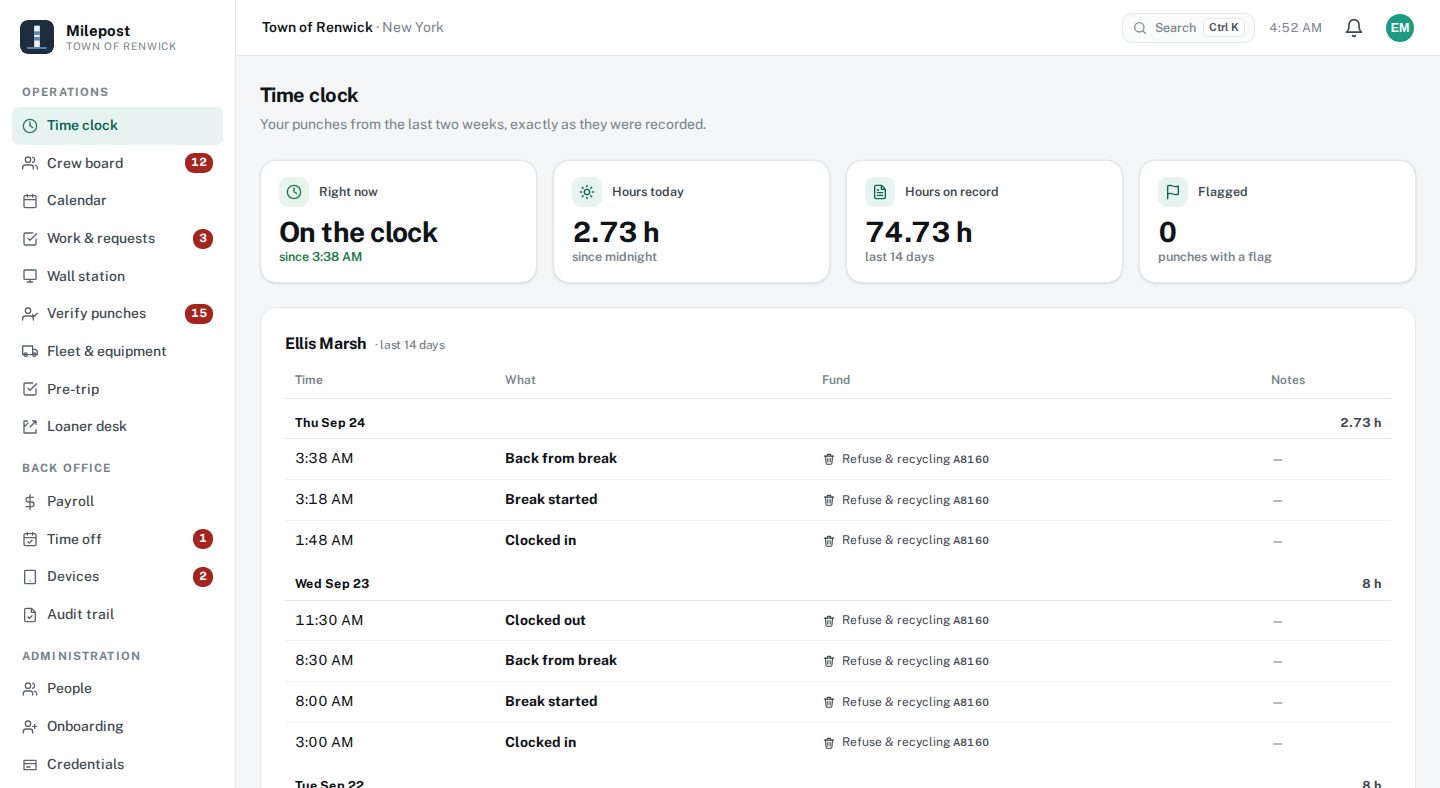
Your crew clocks in from the phone in their pocket. Each punch is geofenced to the job, stamped to a device, and honest about where and when. The day's tasks are on the same screen they clock in from.
See who's working, and what needs a signature
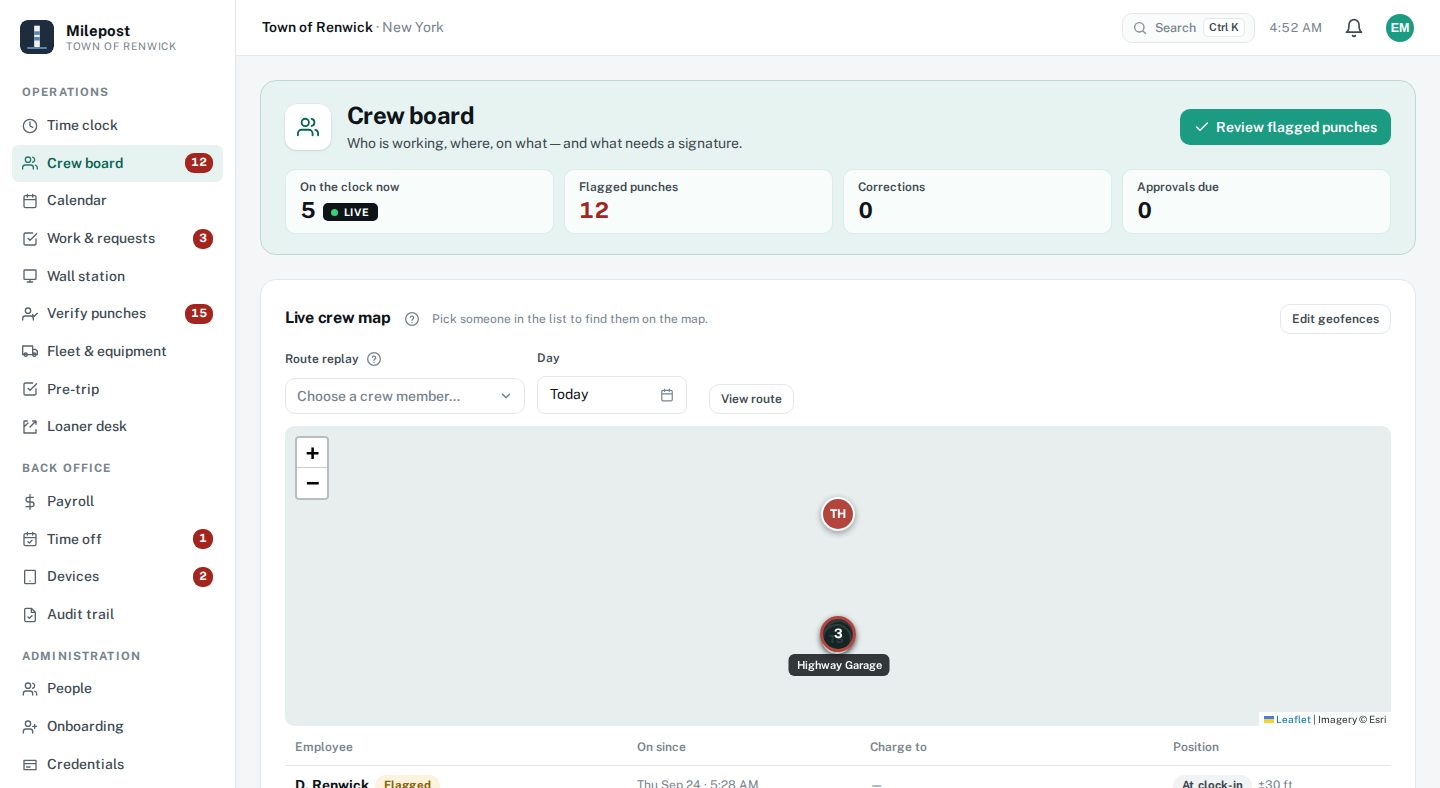
See who's on the clock, on what job, and where each phone last reported. Off-site punches, foreign devices, and unverified time surface themselves in a review queue instead of hiding in a spreadsheet, so the exceptions come to you, not the other way around.
Know what every truck actually costs
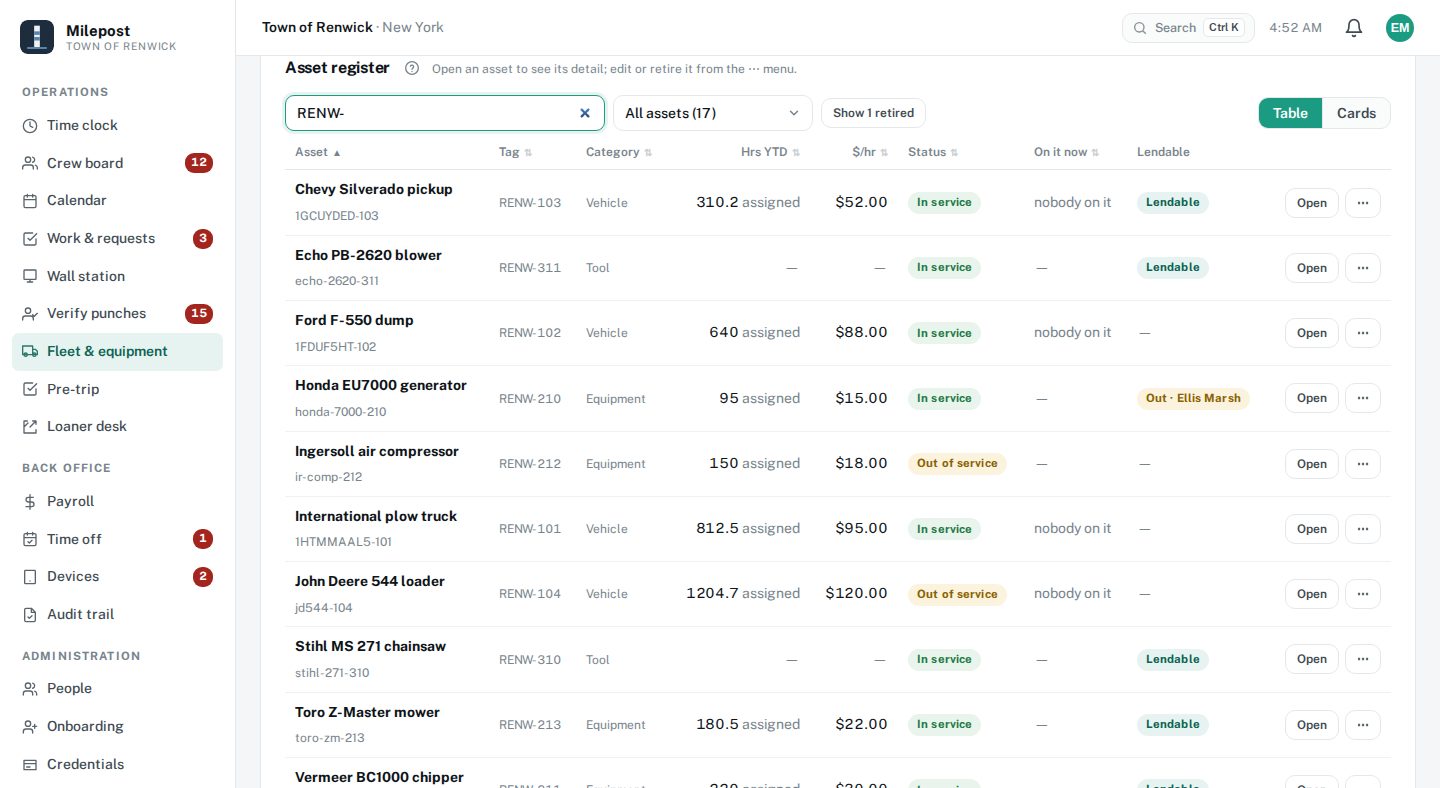
Open any asset and see the whole story on one page, not a row in a spreadsheet. This is the number that disappears from a paper system, put back where the crew, the mechanic, and whoever signs the checks can all see it. Works for a plow truck charged to a fund, or a skid steer charged to a job.
What an hour of this truck costs
Fully burdened · illustrative figures
Catch the breakdown before February
A defect a driver reports on a pre-trip comes to the office for review, and a work order keeps the repair in view until a mechanic closes it, so you see what the fleet owes before it becomes a breakdown mid-storm. One asset page pulls together:
A payroll record that shows its work
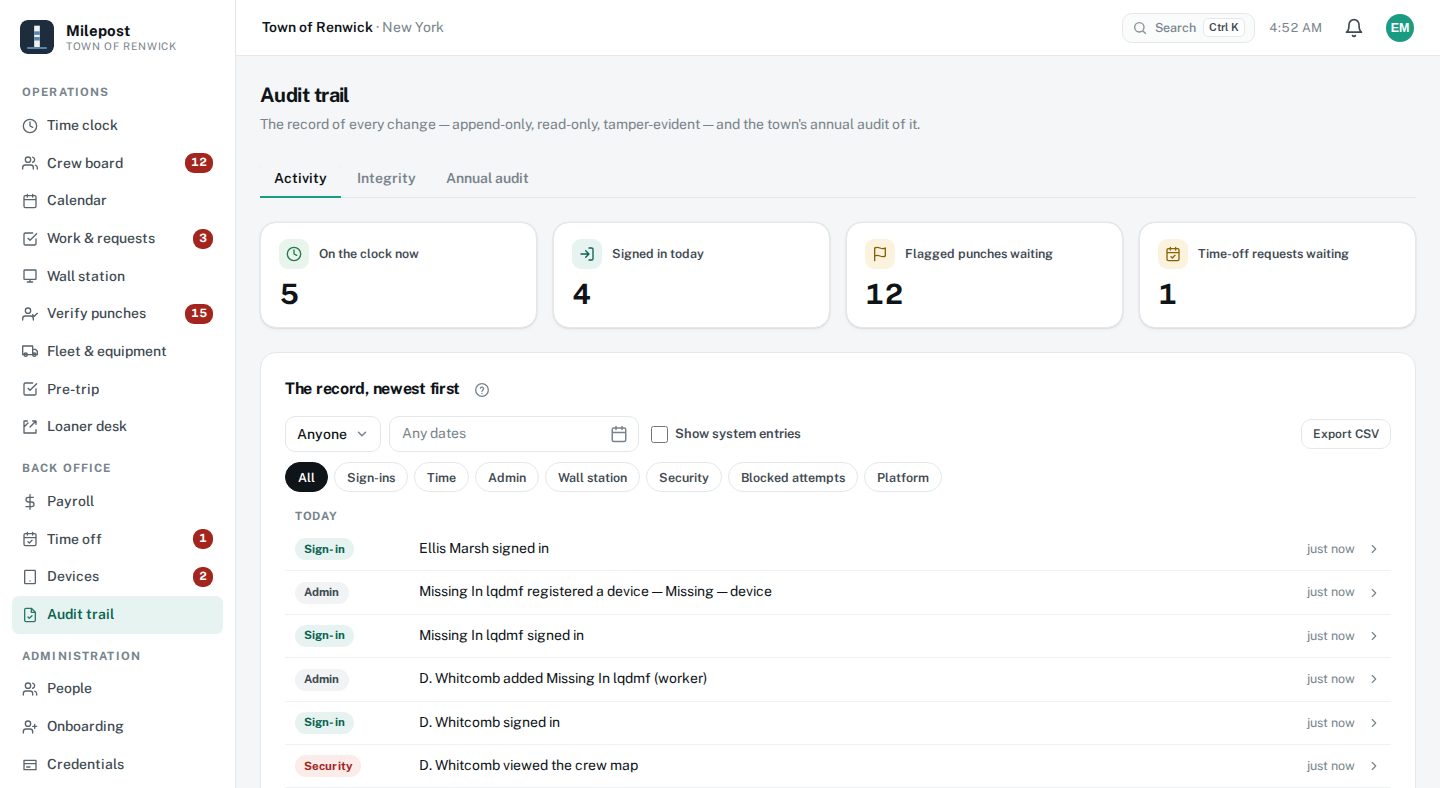
Milepost keeps an append-only, hash-chained log of every change: every punch, correction and approval. A punch is never edited in place, and no one can delete one. When the auditor asks how a number was reached, the answer is a chain that verifies, not a story.
Hours arrive already coded to the right line
Because the fund or cost code is chosen when the shift starts, hours come out coded to the fund, the budget line, or the job, not reconstructed at month-end. See the hours worked on a job while the work is still fresh: a road sweep, a shoulder repair, a day's work on a job site.
The public half of the platform: same data, no second vendor
Coming soon: the same system turned outward, with a town website and citizen portal, a transparency page where the adopted budget and claims post themselves, and a public-records (FOIL) desk with a clock on it.
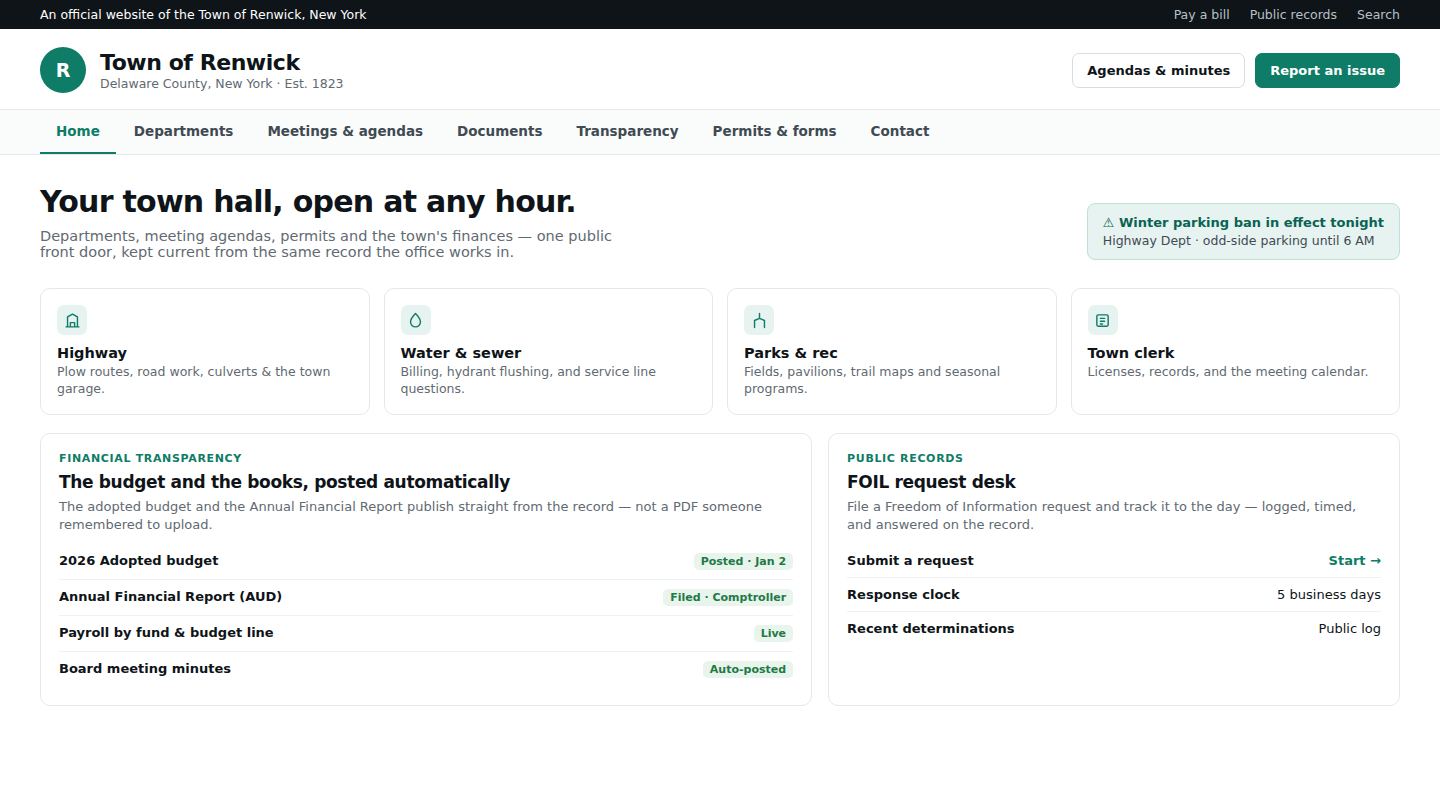
Illustration of a feature that's coming soon.
Built for records that have to hold up
Government and business records carry a higher bar. Milepost is built to meet it, and your data stays yours.
From paper to Milepost without retyping
No rip-and-replace, no data-entry marathon. Send us your crew list, sites, fund or cost codes, and pay rules, and we load them for you. Your crew clocks in from day one, and the audit trail builds itself.
Send us your setup
Crew, sites, fund or cost codes, and pay rules. We load them, so you don't retype anything.
Crew clocks in day one
From the phone they already carry, or a shared wall station in the garage. Free to install.
The record builds itself
Hours arrive coded, exceptions surface, and month-end starts from a clean record.
Start with what you need. Add the rest when you're ready.
Three tiers, each building on the last. Runs on the phones your crew already carries. Wall stations are optional add-ons, never a requirement.
Timekeeping
Clock the crew and get clean hours out.
- Geofenced phone clock-in & wall stations
- Live crew board & review queue
- Payroll hours and overtime on your pay rules
- Time off requests, approvals and leave balances
- Route replay of the on-duty trail
Accountability
Everything in Timekeeping, plus the record.
- Work orders & loaner desk
- Audit trail views and the guided annual audit
- Fleet & true cost per hour, pre-trips
- Meeting minutes for towns: uploads and drafts now, recorder sync coming soon
Town Platform Towns
Everything in Accountability today, plus the public side as it ships.
- Town website & citizen portal (coming soon)
- Transparency page & records desk (coming soon)
Included in every plan: onboarding, support, and updates. No hardware required. Contractors: Accountability is your top tier. Town Platform is municipal-only.
The things crews and Boards ask first
Are you GPS-tracking my crew all day?
Does my crew have to download an app?
What happens when there's no signal?
Will it work with our payroll?
We still run paper timesheets. How hard is the switch?
Is our data secure, and who owns it?
Can towns buy through a cooperative or state contract?
See Milepost on your own crew
Bring a week of your timesheets and a couple of trucks. We'll show you the same shift from the phone, the board, and the audit trail, and what each hour really cost.
Prefer to talk? Call (607) 287-3158 or email [email protected].